Dex Cloud
Durable execution, managed for you.
Write long-running processes with the Dex SDK and run them on Dex servers we operate.
lead_replied = Channel[str]("lead-replied", str)
lead_status = Attribute("lead-status", str)

class SendEmail(Step[Lead]):
    def get_step_options(self):
        # Retry the email service for up to a day.
        return StepOptions(execute_retry=RetryPolicy(
            total_duration=timedelta(days=1),
        ))

    def execute(self, ctx, lead):
        email.send(lead.address, lead.draft, key=lead.id)
        lead_status.set(ctx, "emailed")
        return go_to(WaitForReply, lead)

class LeadFollowUpFlow(Flow[Lead]):
    def get_steps(self):
        return StepList.start_step(self.research) \
            .other_steps(self.send_email, self.wait_for_reply)

    @rpc
    def reply(self, ctx, text: str):
        lead_replied.publish(ctx, text)
        return RPCResult("ok")
See where every run is, and why
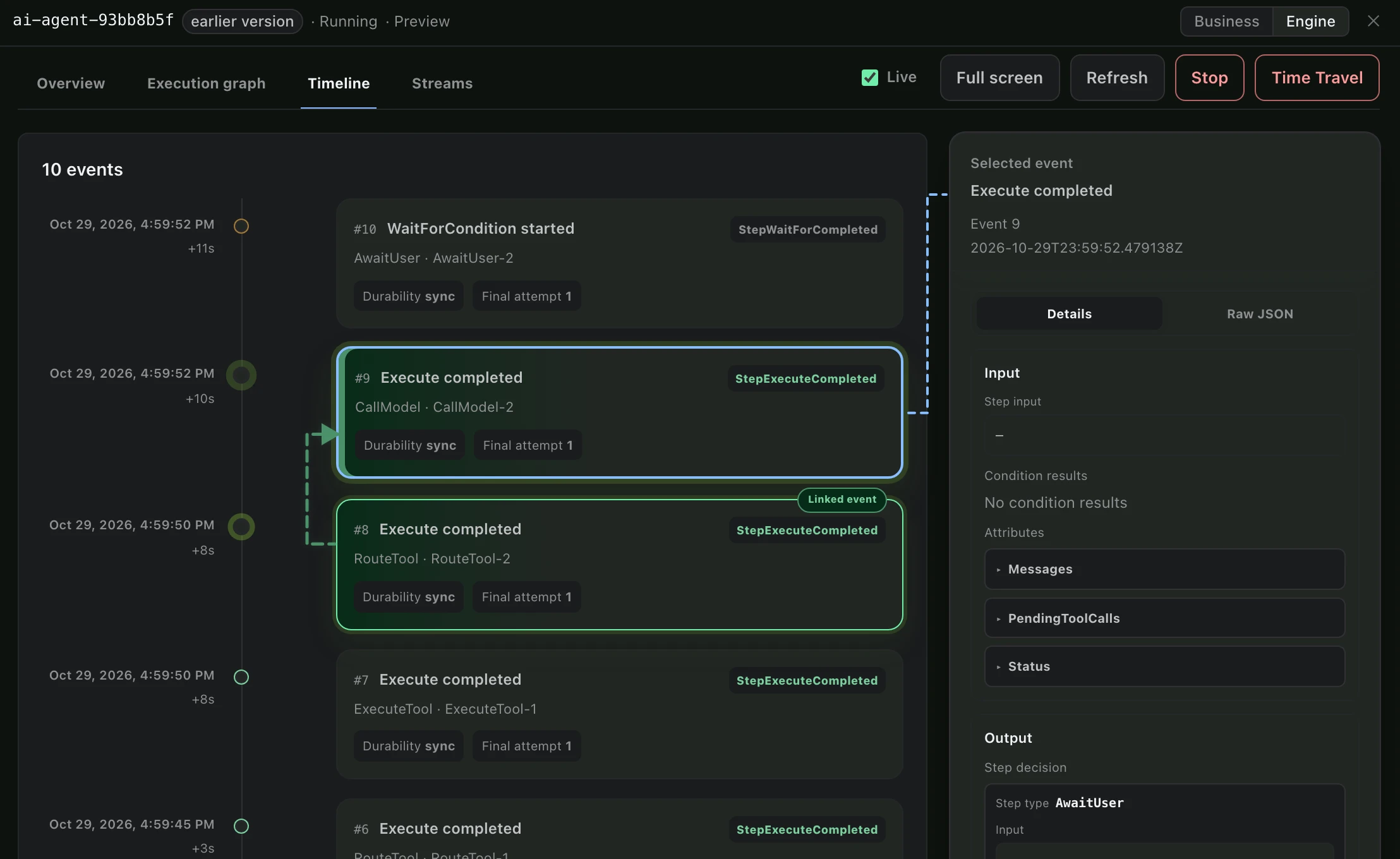
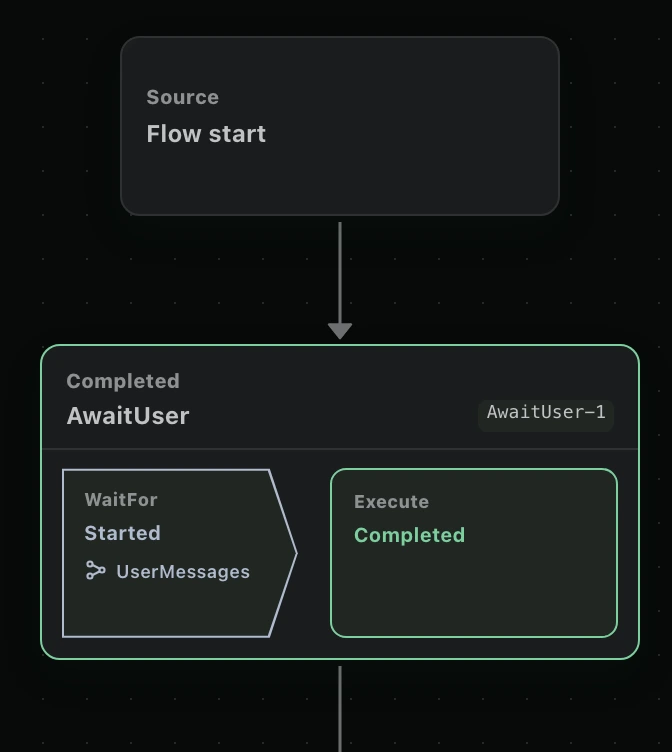
Each process is drawn from its code, with every run placed on it. Open a Step to see its input, its result, what it waits for and every retry.
- Where it is
- Each Step shows whether it is running, waiting, failed or done.
- What it waits for
- Every wait lists its timers and messages, and which of them arrived.
- What happened
- Each Step's input and result, in order, with every retry.
- Why it failed
- A failed attempt keeps its error and stack trace.
- Its state
- The run's Attributes as they are now.
Everything a long-running process needs
A Dex application is built from a few kinds of objects. There is no workflow language to learn.
Step- Runs ordinary code with its own retry policy and timeout, then decides what happens next.
Timer- Waits minutes or months without holding a thread. Reminders and deadlines are Timers.
Channel- Delivers a message into a running process, such as a reply or an approval. A Step can wait for it.
RPC- Lets your UI or API call a running process directly, to approve, cancel or ask for its status.
Attribute- Keeps the process's state durable, with indexes to search runs by lead, customer or status.
Stream- Sends live progress to a UI while a Step runs.
SubFlow- Starts child processes and waits for them, for work that fans out.
Connector- Calls Slack, Gmail, Salesforce and more than 100 other services from a Step.
What we operate
- Endpoint
- One Dex server per application, at <application>.<organization>.dex.superdurable.io:443.
- Access
- TLS on every connection. API keys are scoped to one Dex server, expire and can be revoked.
- Isolation
- Shared clusters authorize every request per server. A dedicated cluster has its own databases.
- We operate
- The Dex server and its storage: upgrades, schema changes, capacity and monitoring.
Shared or dedicated
| Shared cluster | Dedicated cluster | |
|---|---|---|
| Tenancy | Shared platform with per-server authorization | One organization per isolated cluster |
| Databases | Shared cluster storage | Your own databases |
| Rate limits | Per server; raised on request | Set by your organization within the cluster size |
| Best for | Most teams | Organizations that require cluster and database isolation |
Questions
What does Dex Cloud run for me?
The Dex server for each application and the storage behind it, with upgrades, capacity and monitoring. You run your own Workers.
What leaves my environment?
The state Dex keeps for each run: Step inputs and results, Attributes and Channel messages. Your code, your credentials and the systems your Steps call stay with you.
Can I develop without the managed service?
Yes. dexcli dev runs a Dex server on your laptop, and the same code connects to the managed endpoint when you deploy.
Can I self-host Dex instead?
Yes. Dex is source available, and the docs describe how to run the Dex server yourself.
Run your Dex application on a managed server
Tell us about your workload, and we will set up an endpoint for it.